As soon as a friend answers the last question of your quiz, Rikaido scores it and shows them a result screen. As the creator, you get a dashboard that brings everyone's results together. This guide walks through both, from top to bottom.
The score and the title
The score is the number of guesses that matched the creator's own answers. It's shown as a fraction and as a percentage rounded to a whole number: 24 out of 30 shows as 80%, and 22 out of 30 as 73%. The label above it names the quiz: "Snowy's score" is a player's score on Snowy's quiz.
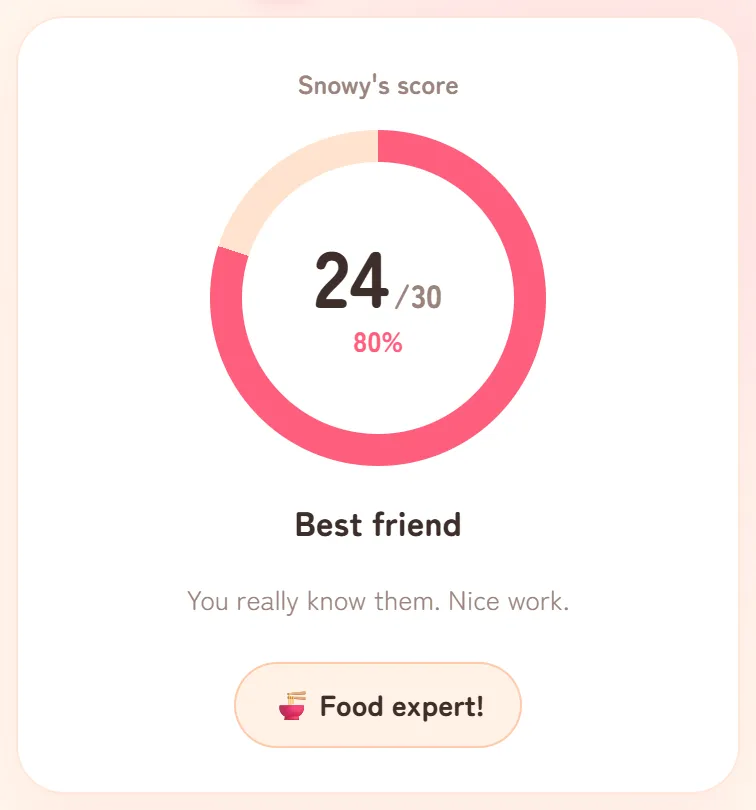
Under the score is a title, which depends on the percentage:
- Soulmate: 90% or more
- Best friend: 73% or more
- Friend: 50% or more
- Acquaintance: 27% or more
- Stranger: below 27%
On a 30-question quiz, that means 27 or more correct for Soulmate, 22 to 26 for Best friend, 15 to 21 for Friend, 8 to 14 for Acquaintance and 7 or fewer for Stranger. The percentage is rounded before the title is chosen, which is why 8 out of 30 already counts as Acquaintance.
In the main edition, a badge under the title names the category the player did best in, such as "🍜 Food expert!". Love edition quizzes have a single category, so they don't show this badge.
A score only shows how many answers matched. It isn't a scientific measure of friendship or compatibility. The "right" answers are what the creator picked about themselves, so a miss can simply mean that friends see the creator differently from how the creator sees themselves.


Scores by category
In the main edition, the "Scores by category" card breaks the result down across the six categories.
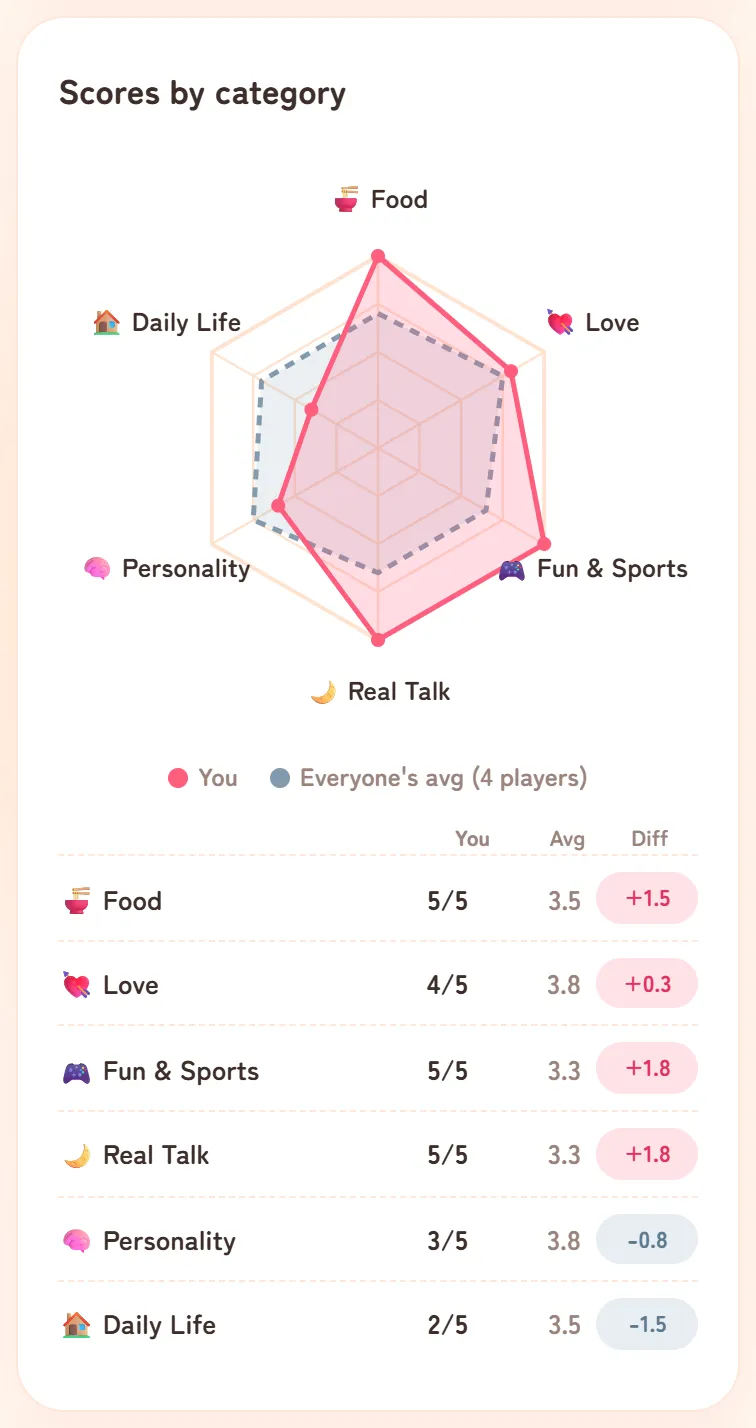
- The radar chart has one point per category. The pink shape is the player's result, and the grey dashed shape is "Everyone's avg", the average of the other players on the same quiz.
- The table shows, for each category, the player's correct answers ("You"), the other players' average ("Avg") and the difference between the two ("Diff").
The average leaves out the player's own entry and any hidden entries. If nobody else has played yet, there's nothing to compare with, and the card explains that the average kicks in with the second player. Love edition quizzes have one category, so this card isn't shown for them.
The ranking
The "Ranking" card lists everyone who has played the same quiz, highest score first, under a line such as "So far 5 people have played!". The top three get medals, and the player's own row is highlighted. If two players have the same score, the one who played first is placed higher.
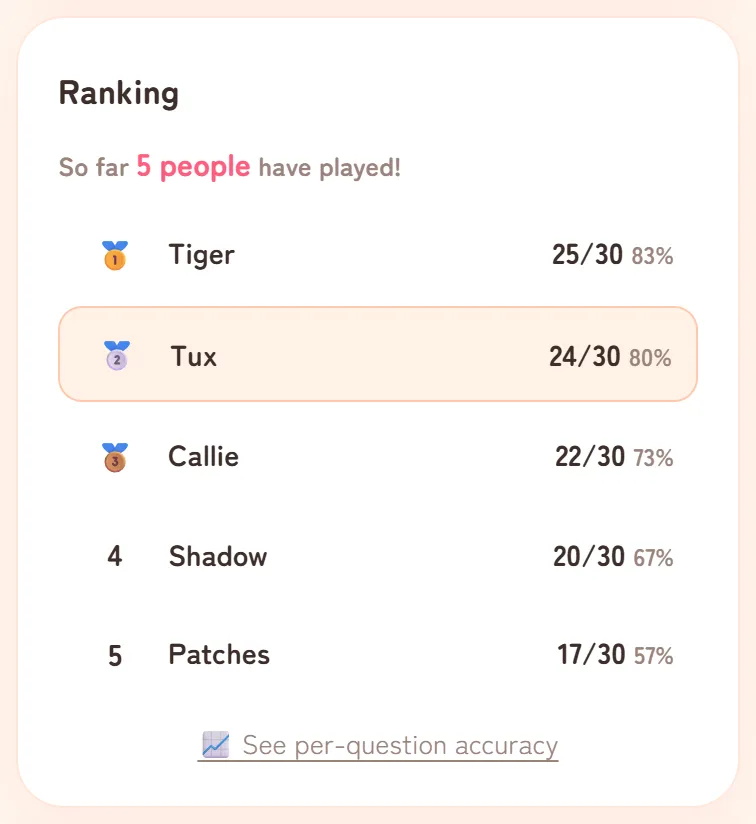
A few things are worth knowing:
- The same person can appear more than once. Playing again adds a new entry, and nothing stops someone from learning the answers and trying again under another name. The ranking works best as a game between friends.
- Very popular quizzes show the top players only, with a line saying how many are shown. If your own entry is further down, your position is added underneath right after you play.
- Hidden entries don't appear. The creator can hide entries from their dashboard, and so can we.
Tap "📈 See per-question accuracy" to see how many players got each question right, hardest first. The right answers are shown only to the creator and to people who've played, so looking before you play shows you the questions but not the answers.
Sharing a result
Further down the result screen, a player can:
- Let the creator know they've played, using the WhatsApp button or "Copy the message" on the card with the 📮.
- Share the result. "📸 Save as image" makes a picture showing the quiz name, the score and the title. "📱 For Stories" makes a tall version for Instagram Stories and copies the quiz link, ready to paste into a Link sticker.
- Start their own with "Make my own quiz too".
The picture doesn't include the ranking. A screenshot of the ranking does, so hide or crop out the other players' nicknames before you post one.
What the creator's dashboard shows
If you made the quiz, open your quiz link on the same device and browser you used, or tap "See results →" next to it under "Your quizzes" on the home page. Rikaido recognises you and shows your dashboard.
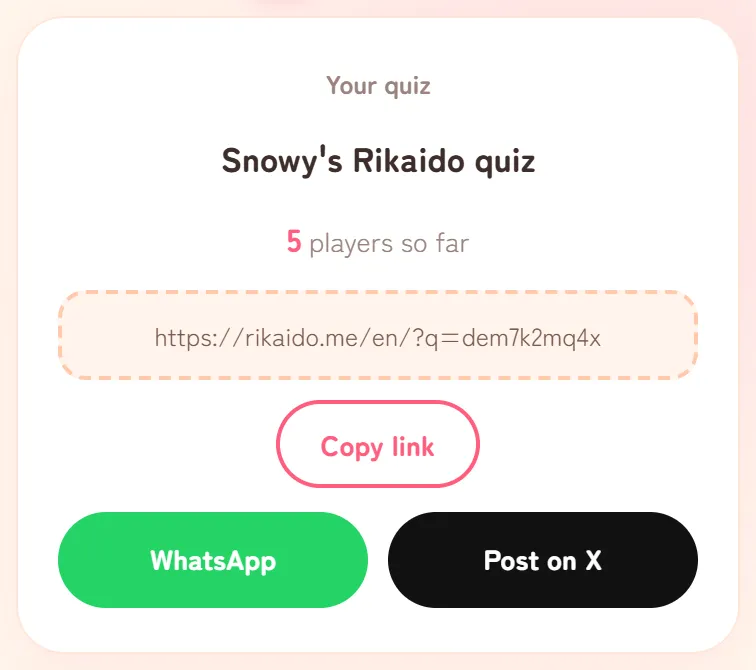
From top to bottom, you'll find:
- Your link and the number of players so far, with "Copy link", "WhatsApp" and "Post on X" for sending it to more people. When your quiz reaches certain numbers of players (5, 10, 25 and so on), a milestone card with "📸 Share a milestone card" appears just below.
- "How well are you known?": how often your players guessed right in each category, averaged across all of them, with a line naming your best-understood category and your "Biggest mystery". A Love edition quiz shows a single bar here.
- "Ranking": everyone who has played. Here, "📈 See per-question accuracy" also shows your answer to each question.
- "🛡️ Manage your quiz": hiding an entry or making the quiz private (see A weird name or a mean entry in your ranking?).
- "📖 See the questions and your answers": every question in your quiz, with what you picked.
- "Try your own quiz (nothing gets recorded)": a test run that shows your quiz the way friends see it.
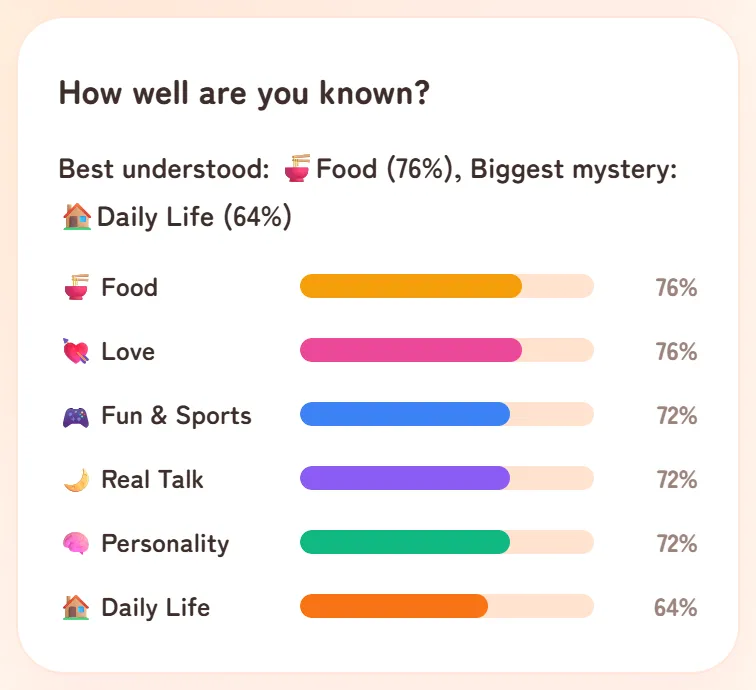
Everyone's answers and Play solo
Two more features look at answers from across the English version rather than from a single quiz. You'll find both on the home page.
- Everyone's answers shows how quiz creators split on each question, category by category. It counts the answers creators pick for themselves when they make a quiz, not their friends' guesses, and it counts answers rather than people. Questions with fewer than three answers aren't shown.
- Play solo needs no friend's link. You answer a set of questions yourself and see how your picks compare with everyone else's.