
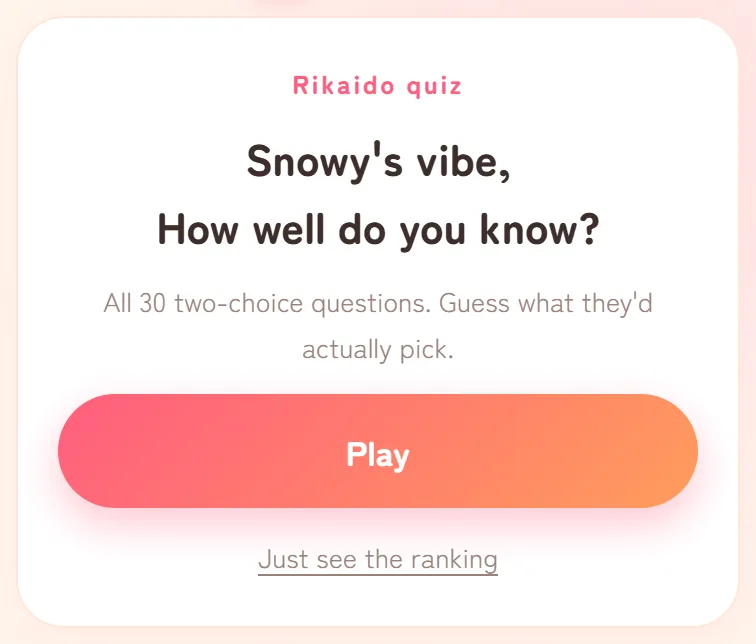
You open the link to your own quiz, and instead of your results you get the screen your friends see, with a "Play" button. Or a quiz you made is no longer listed under "Your quizzes" on the home page. Usually, your quiz and your friends' results are still stored. What's missing is a marker in your browser that tells Rikaido you made the quiz. Here's how that works, what tends to cause the problem and what to do.
How Rikaido knows you made the quiz
Rikaido has no accounts or logins. Instead, when you make a quiz, it saves a small marker in the storage of the browser you're using (localStorage), on that device only.
- In a browser that has the marker, your quiz link opens your dashboard, with the ranking and your players' results.
- In a browser without it, the same link opens the screen your friends see.
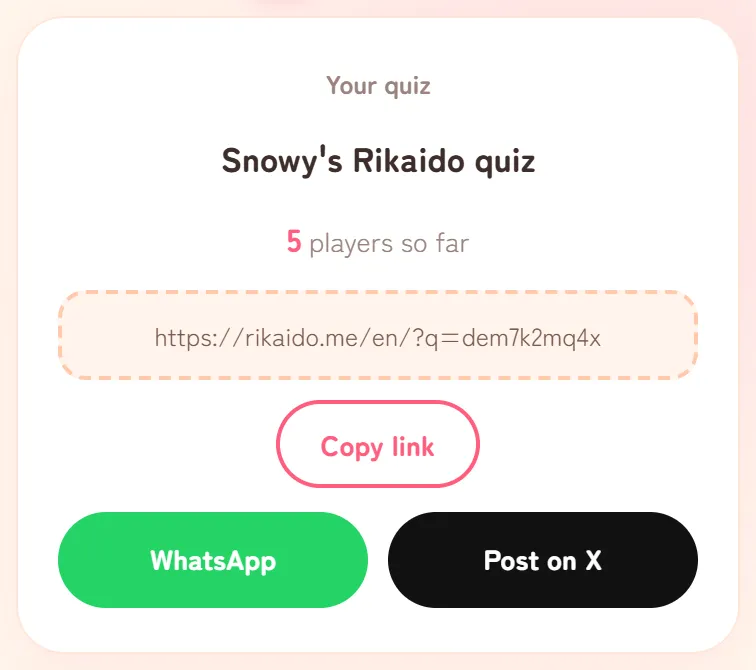
The "Your quizzes" list on the home page comes from the same marker. That's why the finish screen says "Your quizzes are always waiting on the home page of this device." Main edition and Love edition quizzes share one list, and Love quizzes are marked with 💘. If the "Your quizzes" card doesn't appear at all, this browser doesn't remember any of your quizzes.
Common causes
You made it inside another app
Apps such as Instagram, TikTok and Snapchat often open links in their own built-in browser. That browser usually keeps its storage separate from Safari or Chrome. So if you made your quiz inside Instagram and later open the link in Safari, Safari has no marker and shows you the play screen.
You're on a different device or browser
A quiz made on your phone isn't recognised on your laptop, and a quiz made in Safari isn't recognised in Chrome, even on the same phone.
You cleared your browsing data, or used private browsing
Clearing your history and website data removes the marker along with everything else. A quiz made in a private window (such as Private Browsing in Safari or Incognito in Chrome) loses its marker once you close that private browsing session.
Safari removed it after seven days of browsing without a visit
Safari on iPhone, iPad and Mac has a rule for the data that websites save through scripts, which includes the storage Rikaido uses for the marker. WebKit, the engine behind Safari, explained in March 2020 that this data is deleted after seven days of Safari use without any interaction with the site. The count is in days you use Safari, so if you use Safari every day but don't open Rikaido for about a week, your marker can disappear.
You've made more than 50 quizzes in one browser
Each browser remembers your 50 most recent quizzes. When you make a 51st, the oldest one drops off the list, and its link opens the play screen even in the browser where you made it.
First, try the place where you made it
- Think back to where you made the quiz: inside Instagram or another app, or in Safari or Chrome, and on which device.
- Open your quiz link there. If you made it inside an app, tap the link from inside that same app, for example in the chat or DM where you shared it.
- In a regular browser, you can also open the Rikaido home page, look under "Your quizzes" and tap "See results →".
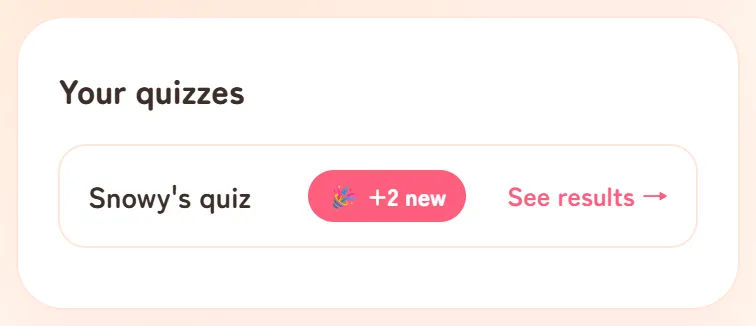
If the marker is still there, this takes you straight back to your dashboard.


If you only want a quick look, any browser will do: on the play screen, tap "Just see the ranking" to see the scores so far. Don't tap "Play" and go through your own quiz there, though, or your guesses will be added to the ranking as a new entry.
Still missing? Ask us for help
Losing the marker doesn't delete your quiz, so we may be able to help. Send a DM to our X account (@rikaido_me), or use the email form on the Contact page and choose "I can't find a quiz I made". Please include:
- The quiz link, if you have it. If not, check the chat where you sent it to friends.
- The device and the browser or app you used to make it, as far as you remember.
- Your quiz nickname and roughly the day you made it, if you can't find the link.
If we find your quiz, we'll send you a link that registers it as your quiz again. Open that link in the browser you normally use, and the quiz will be back under "Your quizzes", with its dashboard. If our reply reaches you in the X app or an email app, copy the link and paste it into Safari or Chrome, because tapping it there may open the app's own browser instead.
This link brings back your results and the ranking, but not the tools for managing the quiz. Hiding entries and making the quiz private still work only in the browser where you made it (see A weird name or a mean entry in your ranking?). If you need either done, tell us in the same message and we'll do it for you.
Keep your quiz easy to find
- Save the link. Paste it into a notes app or send it to yourself. It helps when you open the quiz somewhere else, and when you ask us for help.
- Make quizzes in the browser you normally use. If you're inside an app, look in its menu for an option such as "Open in browser" before you start.
- Don't use private browsing to make a quiz.
- If you use Safari, open your quiz now and then (tap "See results →") while you still want to check results.
- Keep the 50-quiz limit in mind if you make a lot of quizzes in one browser.
Other messages you might see
"This quiz isn't available anymore."
The quiz has been made private, by its creator or by us. If you made it private yourself, open the link on the device and browser where you made it, and you'll be offered "Make this quiz public again". Otherwise, contact us.
"Quiz not found. Double-check the link."
Part of the link is probably missing or has changed. Check that you copied the whole link, including everything after "?q=".
A friend's result isn't in the ranking
A result is saved only when the player answers the last question, so a friend who stopped partway isn't recorded. Test runs from "Try your own quiz (nothing gets recorded)" aren't recorded either, and entries you've hidden don't show in the ranking.